Does the Google Snake Menu Mod Standard Loader Work With Local Search Terms?
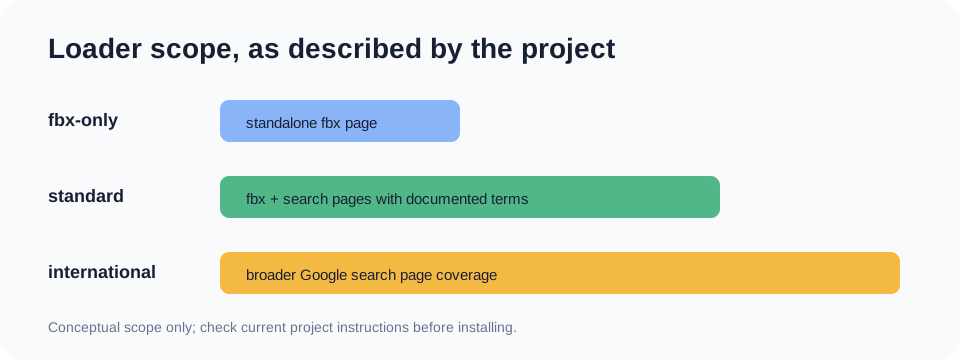
Usually, if the search URL is on a Google domain covered by the maintained standard userscript and its search text contains one of the project’s listed Snake words. The project documents a wide set of locales, but that is a URL-matching declaration, not a guarantee that every translated phrase or live Google result has been tested. If you play on the standalone fbx page, choose the fbx-only option; use the broad international option only when the standard match does not cover your search page.
This page answers a narrower setup question: what “standard” means when your Google search is not in English. It focuses on the declared words and page addresses, rather than repeating the general install guide.
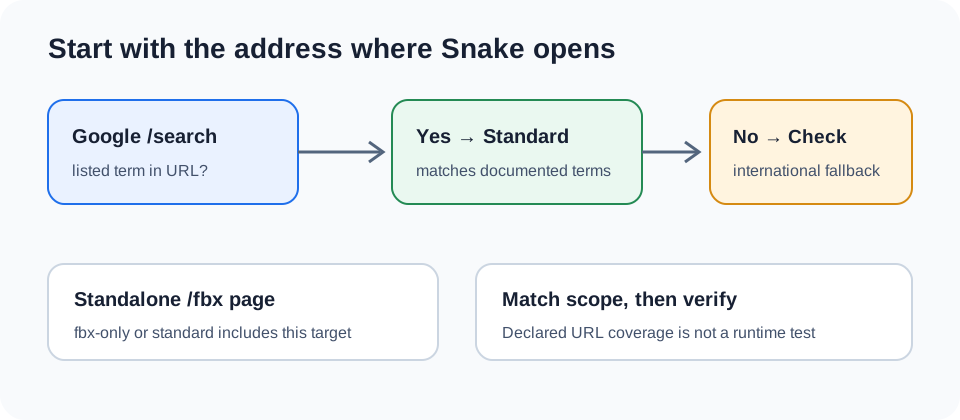
What the standard option is documented to match
The Mod Loader README says its standard version works on the standalone fbx page and Google searches containing a listed Snake term. The list includes examples such as serpiente, serpent, serpente, slange, and ular, alongside terms written in other scripts. Its guidance says the full word must be present and gives “snake” versus “snaking” as an example.
The current standard script metadata declares Google search URLs on many country domains and includes encoded forms of the documented terms in its search-page pattern. That means the declared match depends on both parts: a covered Google address and a search URL containing a recognized term. A localized Google homepage by itself does not prove the Snake script will run; the query/page URL still needs to fit the pattern.
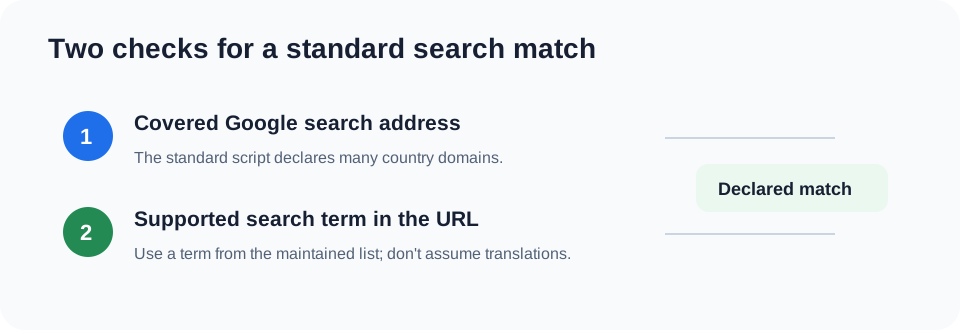
Use one of the listed terms rather than guessing at a translation. This page checks the project's published locale list and script URL declarations; it does not claim that every search phrase, browser, or live session was tested.
Choose a loader by the address you play from
- You use a regular Google search result: start with the standard install when your search URL contains one of the documented words and the domain is covered by the script metadata.
- You use the standalone Snake page: the README labels the fbx-only build for that address. The standard build also lists fbx coverage.
- You use another Google search page or the standard build does not match: the README describes the international build as the broad option for Google search pages. Because its declared scope is wider, it is the fallback, not the first choice for a known listed search.
Quick check when no menu appears
- Look at the address bar: is it a Google
/searchpage or the standalone/fbx?fbx=snake_arcadepage? - For a search page, check whether the URL includes a term from the maintained standard list. The README notes that the full word matters.
- Confirm your userscript manager is allowed to run on search result pages. The README specifically notes an extra search-page permission step for Opera.
- Re-open the loader repository and choose the currently linked install option. Avoid relying on a remembered version label or an old copied script.
Q&A: “Google Snake Game Mods dont work anymore?”
Not all current options are documented as broken. The maintained loader still documents a userscript route, and the project links to a modded web version. Older bookmark-based instructions are a separate case: the More Menu project says that bookmark method no longer works. If a local search phrase is not covered, first match the loader option to the page address and supported term instead of assuming that every mod stopped working.
Sources checked
The distinction above comes from the Mod Loader installation table and search-term list and its current standard script metadata. For the overall setup, see our Google Snake menu mod guide and address-based loader chooser.