Google Snake Menu Mod Not Showing? Check These Five Things
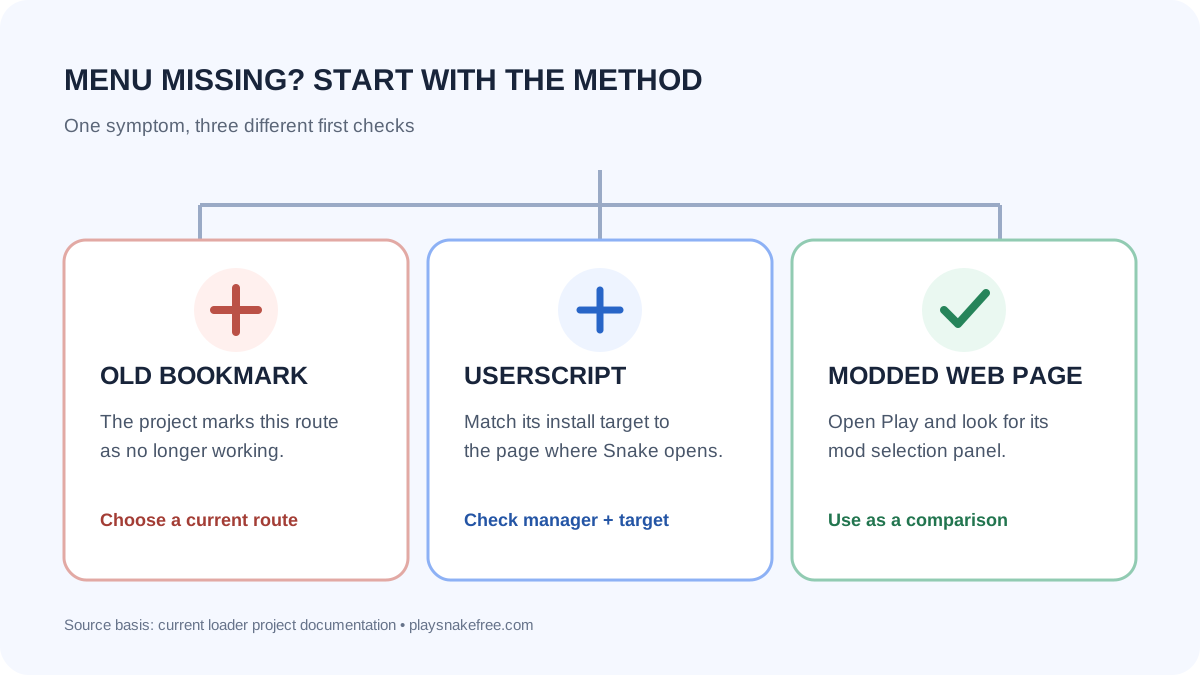
If the Google Snake menu mod does not appear, first check how you installed it. The old bookmark-based method is marked as no longer working by the mod project. For a userscript, make sure its install option matches the exact page where you play, then confirm the script manager is enabled. These checks separate an outdated method from a page mismatch.
1. Did you install an old bookmark mod?
If your setup asks you to import an HTML file or click a saved bookmark after Google Snake loads, stop there. The community loader project labels that bookmark route as the old method, and its companion mod repository says the bookmark approach no longer works after a change to the game's code. Repeating the same import steps will not fix it. Choose the standalone modded web page or the maintained userscript route instead.
This is the clearest answer to the community question “Google Snake Game Mods dont work anymore?” The old bookmark workflow stopped working; the project's current documentation still describes a standalone modded page and a userscript loader. That does not guarantee every browser setup will work, but it means “all mods are gone” is too broad.
2. Match the userscript to the page you actually open
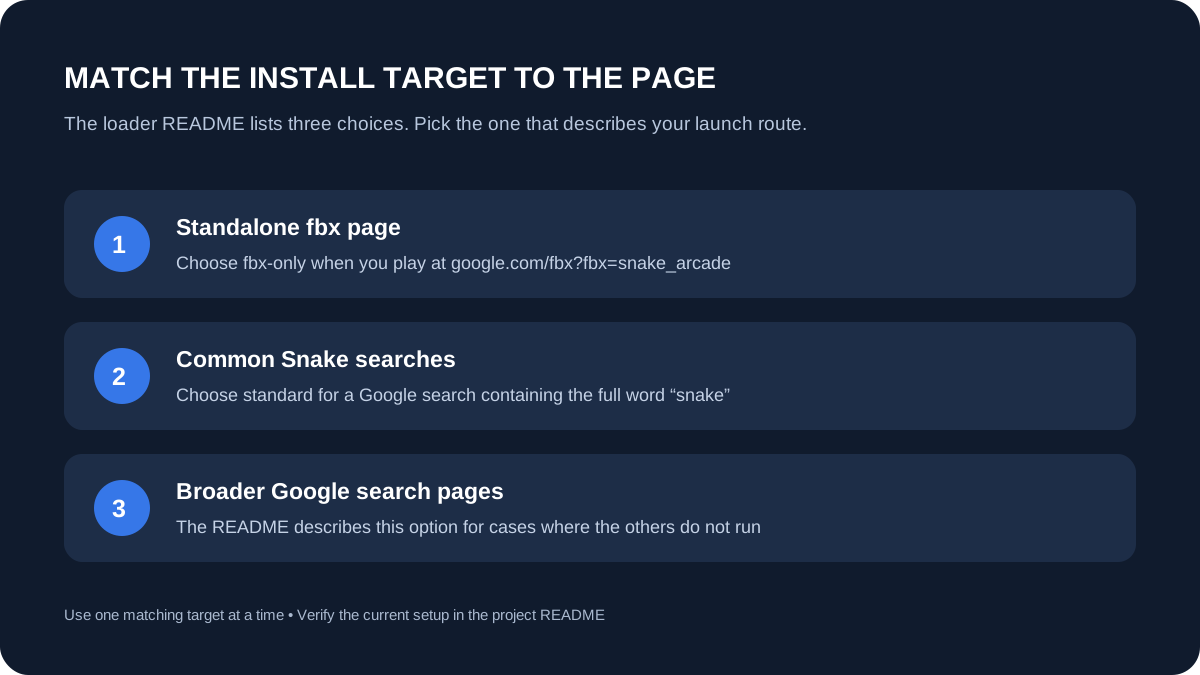
The loader documentation lists separate install targets: the standalone Google fbx Snake page, common searches containing the word “snake,” and a broader option for any Google search page. Pick the one that describes your real launch route. A script intended only for the standalone page will not answer a problem on a search-results game, and vice versa.
The project's README says the standard build is for searches that include the full word snake as well as the standalone page. Its broader “international” build is described for cases where the other versions do not run. Treat these as project-specific target descriptions; do not install every variant at once as a troubleshooting shortcut.
3. Verify the userscript manager and the script state
The loader README recommends Tampermonkey and explicitly says Greasemonkey will not work for this setup. In the manager, check that the loader script is installed and enabled for the browser profile you are using. Then reload the actual game page after confirming the match. If the menu still does not appear, recheck the project instructions before changing unrelated browser settings.
There is one documented browser-specific detail: the README says Opera users must enable the userscript on search-results pages. If you play from Google results in Opera, check that setting before switching script variants.
4. Separate a loader problem from a mod-menu problem
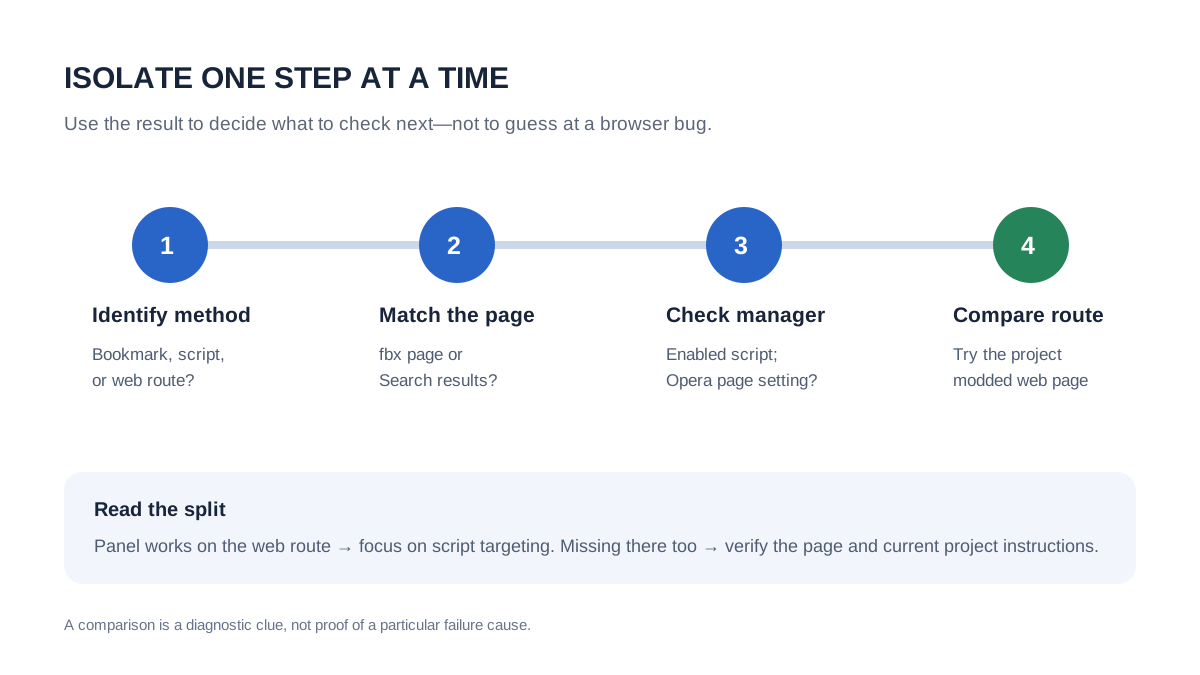
Try the project's standalone modded web page as a clean comparison. Its README describes that route as the easier method: open the site, choose Play, and use the panel shown at the lower right to select a mod. If the panel appears there but not in Google Search, focus on the userscript target and manager setup. If it does not appear there either, revisit the current project page and check whether the expected page loaded before assuming the browser extension is at fault.
This comparison is a diagnostic, not proof of a particular browser bug. A community help thread records a maintainer attributing an earlier failure to changes in Google's game code; that thread is historical and does not identify a current browser version or explain every present-day failure.
5. Avoid replacing a missing menu with an unknown download
The documented routes are a browser-based mod page and a userscript loader. A missing panel is not a reason to install an unrelated desktop program or paste code from an unverified page. Use the project's own current links, and if its instructions have changed, follow the latest repository rather than a copied walkthrough.
Quick answer: do Google Snake mods still work?
The retired bookmark method does not work according to the project documentation. The loader repository still documents a userscript route, and it points casual players to a standalone modded web page. If your menu is missing, identify which route you used, match the script to the page, and verify the manager and any documented browser-specific setting. The earlier “mods stopped working” report in the roster was a real historical question, but it is not evidence that every current route is broken.
Frequently asked questions
Why is my Google Snake mod menu not showing?
Check for an old bookmark method first. If you installed the userscript, match its target to the page where Snake opens, confirm the script manager and script are enabled, then check any browser-specific instruction such as Opera's search-page setting.
Do I need an extension for Google Snake mods?
Not for the standalone modded web route described by the project. The Google Search userscript route requires a compatible userscript manager; the project recommends Tampermonkey and says Greasemonkey is not supported for its setup.
What should I check if the mod panel is missing in Opera?
The loader README says to enable the userscript on search-results pages. Check that setting if you launch Snake from Google results.
For the route comparison, see our Google Snake menu mod loader guide.
Before trying a community bookmarklet, read our Google Snake bookmarklet safety check.